🎮 Game Controls & Keyboard Guide
Turbo Race 3D: The Ultimate Racing & Driving Challenge
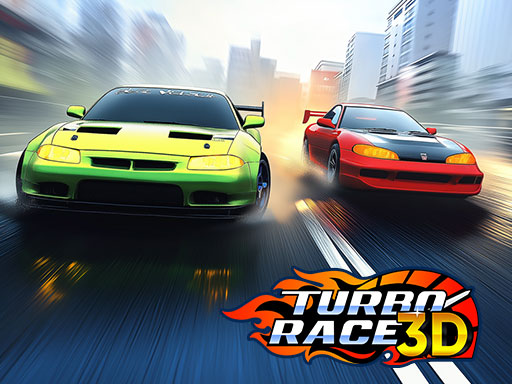
Get ready for intense action in Turbo Race 3D! Upgrade your car’s speed, acceleration, grip, and brakes to dominate the competition. Use shields and boosters to gain an edge, and customize your ride with decals and colors. Race through 3 exciting worlds—city, desert, and snow—while evading traffic and outpacing opponents on thrilling highways. Do you have what it takes to be the ultimate racer?
Test your speed, timing, and precision in Turbo Race 3D, a premier Racing game created for competitive gaming enthusiasts.
⚡ Key Features
🎮 Responsive Controls
Optimized for smooth keyboard, mouse, and touchscreen input across all devices.
🏆 Endless Replayability
Challenging level design with increasing difficulty to test your mastery continuously.
⭐ Pro Tips & Strategy
Watch opponent slipstreams to gain extra drafting speed before overtaking on straight paths. Brake slightly before tight corners to initiate a controlled drift without losing momentum.


Complete Guide & Gameplay for Turbo Race 3D
To excel in Turbo Race 3D, start by familiarizing yourself with the responsive controls. As the difficulty scales, maintaining composure and steady rhythm will be key to conquering high levels.
This classic Racing & Driving browser title is fully optimized for HTML5 browsers, delivering responsive physics and immersive action on desktop, mobile, and tablet platforms without downloads.
